
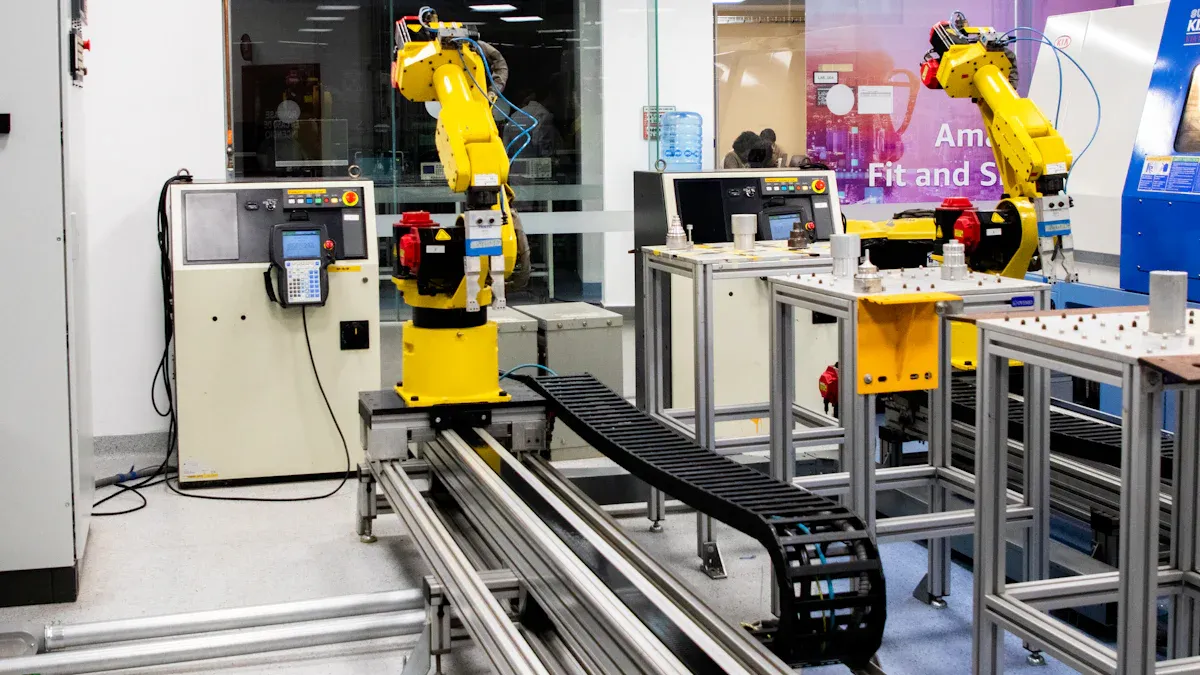
A robotic arm is a programmable device that works much like your own arm. It has segments joined together, which lets it move in different ways. You will find these arms in factories and even homes. The main purpose is to complete tasks with high precision and flexibility.
| Function | Description |
|---|---|
| Picking and placing | You can use it to move objects quickly and accurately, such as in packaging. |
| Welding | It joins metal parts by operating welding tools with speed and accuracy. |
| Painting | It applies paint evenly, making sure every surface looks the same. |
- Actuators turn energy into motion at the joints.
- Sensors check positions and pressure, helping the arm adjust and stay accurate.
Key Takeaways
- Robotic arms mimic human arms, allowing them to perform tasks with precision and speed in various industries.
- They consist of segments, joints, motors, sensors, and controllers, all working together to achieve accurate movements.
- Robotic arms can be programmed using different methods, including coding and visual tools, making them accessible for various skill levels.
- These machines enhance safety by taking on dangerous tasks, allowing humans to focus on more complex problems.
- Robotic arms are versatile and can be adapted for different jobs by changing their end effectors, making them useful in manufacturing, healthcare, and more.
What is a robotic arm?
Definition and purpose
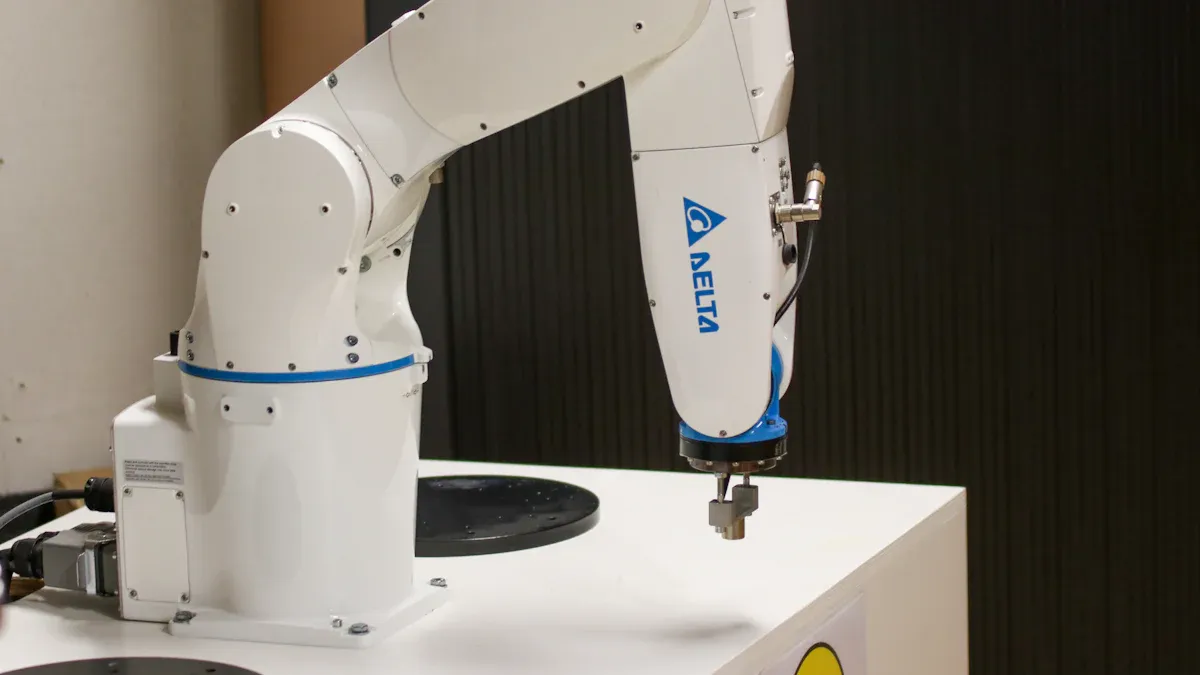
You can think of a robotic arm as a machine that acts like your own arm. It has several segments connected by joints, which let it move in many directions. You control it using a computer or a special program. This design helps the robotic arm complete tasks that need accuracy and speed.
A robotic arm works in many places. You see it in factories, where it welds car frames or assembles electronics. In hospitals, it helps doctors perform delicate surgeries. Scientists use it for experiments that need repeating or for handling dangerous materials. The main purpose is to make work easier, safer, and more precise.
Tip: When you use a robotic arm, you can let it do jobs that are too risky or boring for people. This means you stay safe and focus on more important tasks.
Here are some reasons why you might use a robotic arm:
- It gives you precision, speed, and consistency.
- It can do dangerous jobs, which keeps you safe.
- It handles simple, repetitive tasks so you can work on harder problems.
Key features
A robotic arm has special features that make it flexible and powerful. You can program it to do many different jobs. The design copies the way your arm moves, with segments and joints that bend and rotate. This lets the robotic arm reach, grab, and move objects just like you do.
You find robotic arms with advanced technology. Some use artificial intelligence and machine learning to learn new tasks. Others have sensors that help them see and feel what they touch. These sensors include load cells, torque transducers, and multi-axis sensors. They help the robotic arm move smoothly and safely, even in tricky situations.
Here is a table showing some important features:
| Feature | Description |
|---|---|
| Versatility and Flexibility | You can use the robotic arm for many jobs because it has several joints and axes. |
| Advanced Functionality | It uses AI and machine learning to adapt to new tasks. |
| Task Versatility | You can switch between jobs like assembly, packaging, or healthcare. |
| Simultaneous Operations | The robotic arm can do more than one job at the same time, such as welding and painting. |
| Speed & Precision | It works quickly and accurately, which is great for fast-paced tasks. |
| Vision Systems and Sensors | It checks for defects and measures objects using cameras and sensors. |
| Perception-based Control | It uses sensor data to work on its own in changing environments. |
| Integrated Force/Torque Sensors | These sensors help the robotic arm apply the right amount of force during tricky movements. |
You also find robotic arms that learn from human movements. Some have hands that match the way your fingers and wrist move. This makes them useful for people who need help, like patients with shoulder injuries. You can teach a robotic arm by showing it what to do, which makes programming easier.
- Visual programming and drag-and-drop tools help you set up tasks quickly.
- Teaching by demonstration lets you guide the robotic arm without writing code.
- You can connect it to other machines for more complex jobs.
A robotic arm can change and grow with your needs. You can add new parts or reprogram it for different tasks. This makes it a smart choice for many industries.
Robotic arm components
A robotic arm works because each part has a special job. You can see how segments, joints, motors, sensors, controllers, and end effectors all fit together to create smooth and accurate movement. Let’s look at each part and how it helps the robotic arm do its work.
Segments and joints
You find that a robotic arm has several rigid segments, called links. These segments connect with joints, which act like your elbow or wrist. Modern robotic arms often have up to six joints and seven segments. Each joint lets the arm move in a new way. Joints can be rotary, which turn, or prismatic, which slide back and forth. Motors power these joints, so you get precise control.
- Joints serve as the muscles of the robotic arm.
- Each joint adds a degree of freedom, which means the arm can move in more directions.
- More degrees of freedom let you reach targets from different angles and perform complex tasks.
Note: The degrees of freedom (DOF) show how flexible a robotic arm can be. If you have more DOF, you can move the arm in more ways and handle a wider range of jobs.
Actuators and motors
Actuators and motors give the robotic arm its strength and speed. You use actuators to turn energy into motion. Electric, hydraulic, and pneumatic actuators all work in different ways. Electric motors are common because they offer precise control and easy programming.
- High-torque servo motors help with fine assembly tasks and heavy lifting.
- Linear actuators and rotary motors move and sort materials quickly.
- Smart actuators with feedback loops make sure the arm moves smoothly and accurately.
Actuators act as the muscles behind every movement. They let you control how fast and how strong the robotic arm moves. If you need to weld, paint, or polish, you rely on specialized actuators for those jobs.
Sensors and feedback
Sensors help the robotic arm sense its environment. You use sensors to measure position, force, touch, and even distance. This feedback lets the arm adjust its movements in real time, so you get safe and accurate results.
| Sensor Type | Function |
|---|---|
| Capacitive touch sensors | Respond to skin contact or finger proximity. |
| Pressure pads/force-sensitive | Detect applied force on a surface. |
| Artificial skin/tactile arrays | Detect distributed contact points and surface texture. |
| Encoders | Measure rotation or linear displacement of joints and motors. |
| Gyroscopes and accelerometers | Detect angular velocity and acceleration for balance and direction. |
| Infrared (IR) sensors | Detect objects based on reflected infrared light. |
| Ultrasonic sensors | Emit sound waves to measure distance based on echo return time. |
| Force sensors | Detect linear pressure or load, monitoring grip strength. |
| Torque sensors | Measure rotational force at joints or motors. |
| Laser rangefinders or LiDAR | Use laser beams to create 3D spatial maps for precise distance measurement. |
Sensors give the robotic arm a sense of touch. You can use tactile sensors to detect contact and pressure. This helps the arm grip fragile items without breaking them. The feedback system works in three steps:
- The sensor detects contact and sends signals.
- The controller processes the signals and analyzes the data.
- The robotic arm adjusts its movement to stay safe and precise.
Controller and programming
The controller acts as the brain of the robotic arm. You use it to send commands and control every movement. Controllers use different programming methods, so you can choose what fits your skill level.
| Programming Method | Description |
|---|---|
| Code-based programming | Write custom code using Python, C++, or Java for detailed control. |
| Teaching pendant programming | Use a handheld device to guide the robot without advanced programming skills. |
| No-code programming | Create applications with simple drag-and-drop tools, no coding needed. |
You can use a teach pendant to guide the robotic arm through tasks. This makes programming easy, even if you do not know how to code. The controller coordinates all the parts:
- It calculates the angles for each joint based on where you want the arm to go.
- It sends commands to move the motors and actuators.
- It uses inverse kinematics to set the right positions and angles.
Tip: If you want to change a task, you can reprogram the controller or use a teach pendant to show the robotic arm what to do.
End effector
The end effector is the tool at the tip of the robotic arm. You choose the end effector based on the job you need to do. Common types include grippers, process tools, and sensors.
- Grippers pick up and move objects. You find mechanical, vacuum, magnetic, and servo grippers for different tasks.
- Process tools help with welding, painting, or polishing.
- Sensors at the end effector help with inspection and quality control.
The end effector decides what the robotic arm can do. If you use a mechanical gripper, you can assemble products or handle parts. Vacuum grippers work well for packaging and material handling. Magnetic grippers lift metal parts in automotive work. Specialized grippers handle food safely. Surgical instruments let you perform precise medical tasks.
| End Effector Type | Influence on Tasks | Examples of Applications |
|---|---|---|
| Mechanical Grippers | Handle a wide range of part sizes, from small electronic components to large parts | Product assembly, automotive manufacturing |
| Vacuum Grippers | Facilitate precise placement and joining of components | Packaging, material handling |
| Magnetic Grippers | Adapt to different product variants and assembly sequences | Automotive assembly, recycling |
| Specialized Grippers | Provide hygienic and gentle handling of food products | Food processing and packaging |
| Surgical Instruments | Assist in high-precision instrument manipulation | Surgical procedures, teleoperation for surgeries |
Note: You can switch end effectors to change what the robotic arm does. This makes the arm useful for many industries.
You see that every part of the robotic arm works together. Segments and joints give structure and movement. Actuators and motors provide power. Sensors and feedback keep the arm safe and accurate. The controller and programming let you guide the arm. The end effector completes the job. If you understand these components, you can use a robotic arm for many tasks and adapt it to new challenges.
Robotic arm movement
Control systems
You control a robotic arm using special systems that turn instructions into movement. These systems fall into two main types: open-loop and closed-loop. Open-loop systems move based only on your commands. They do not check if the arm reaches the right spot. Closed-loop systems use sensors to check the arm’s position and make corrections if needed. This helps the arm stay accurate, even if something changes during a task.
| Feature | Open-Loop Control Systems | Closed-Loop Control Systems |
|---|---|---|
| Feedback | No feedback; movements based solely on input commands | Incorporates feedback; adjusts movements based on sensor data |
| Complexity | Simpler; lower costs and reduced system complexity | More complex; requires sensors and feedback mechanisms |
| Accuracy | Lower accuracy; cannot compensate for errors | Higher accuracy; can adjust for errors and disturbances |
| Applications | Suitable for low precision tasks (e.g., pick-and-place) | Suitable for high precision tasks (e.g., welding, machining) |
Tip: If you want high precision, you should use closed-loop control. This system helps the arm fix mistakes and work safely.
Kinematics and motion
Kinematics helps you understand how the robotic arm moves. You use kinematics to figure out where the arm’s tip will go when you move each joint. This study uses geometry and math to plan the arm’s path. You work with two main ideas: forward kinematics and inverse kinematics. Forward kinematics lets you find the tip’s position from the joint angles. Inverse kinematics helps you find the joint angles needed to reach a certain spot.
- Kinematics governs the movement capabilities of robotic arms through forward and inverse kinematics.
- The Jacobian matrix translates joint speeds into the overall movement of the arm’s end.
- Degrees of freedom show how many ways the arm can move, which is important for flexibility.
You start by setting the path you want the arm to follow. You use equations to calculate each joint’s movement. You check the tip’s location and adjust the path if needed. This process repeats until the arm reaches the target. You can use computer programs to plot the arm’s motion and make sure it works as planned.
Sensor feedback
Sensors help the robotic arm react to changes while it works. You use cameras, LiDAR, torque sensors, and encoders to collect real-time data. Algorithms compare what you expect with what actually happens. If something goes wrong, like a part not fitting, force sensors notice the problem. The system then changes the arm’s movement to fix the issue.
- Robots use sensors to gather data about their environment and their own position.
- Algorithms process this data to spot mistakes or unexpected changes.
- If a part does not fit, force sensors tell the system to adjust the grip or try again.
Note: Sensor feedback lets you keep the arm safe and accurate, even if something unexpected happens.
Applications of robotic arms
Manufacturing and assembly
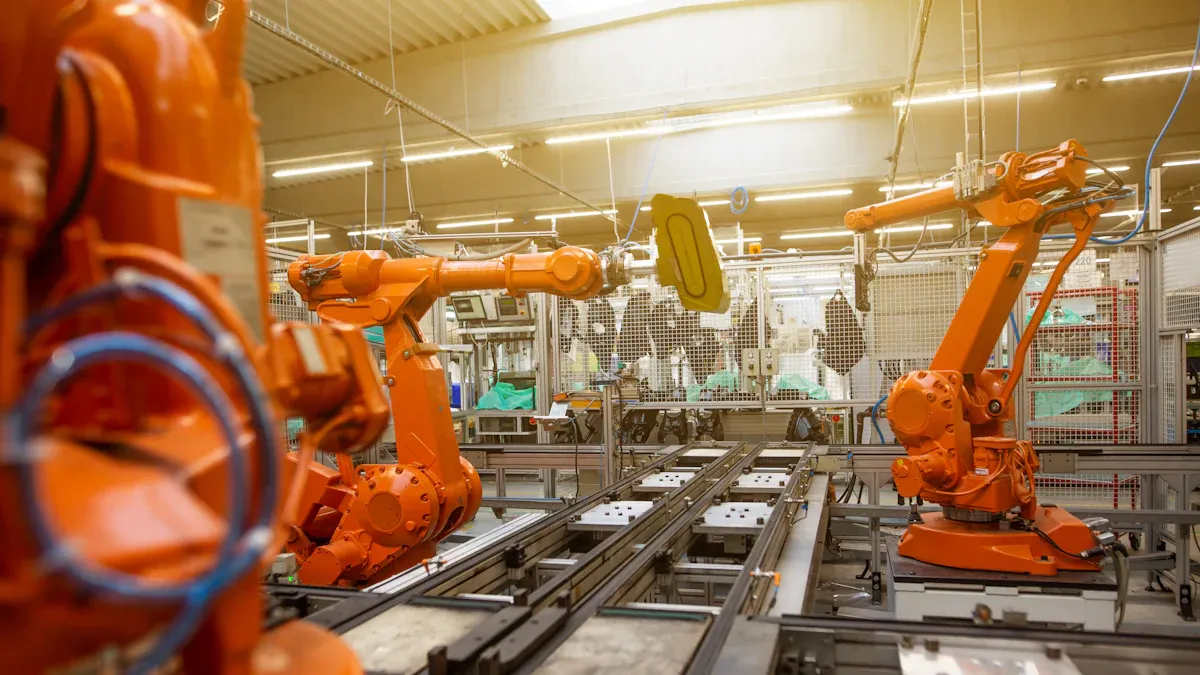
You see robotic arms most often in factories. In the automotive industry, they handle many tasks that need speed and accuracy. These tasks include:
- Welding
- Painting
- Assembly
- Quality inspection
- Material handling
- Sealing and dispensing
- Cutting and milling
- Machine tending
- Packaging and palletizing
In electronics manufacturing, robotic arms help you build devices with high precision. They assemble tiny parts, inspect products, and work much faster than people. Here is a comparison:
| Metric | Human Performance | Robotic Performance | Improvement |
|---|---|---|---|
| Accuracy | 1-3% error rate | 99.99% accuracy | Significant reduction |
| Inspection Speed | Variable | 1,000+ units/min | Drastic increase |
| Assembly Precision | Variable | Fractions of mm | Enhanced precision |
You get more products with fewer mistakes and faster delivery.
Healthcare and surgery
Robotic arms help doctors perform delicate surgeries. You find them in cardiac, thoracic, neurological, and gastrointestinal procedures. These systems let surgeons work through small cuts, which means less pain and faster healing for patients. For example, the Da Vinci surgical system copies a surgeon’s hand movements and makes them even more precise. Robotic spine surgery also uses advanced navigation to keep patients safe and reduce the need for extra x-rays.
Research and education
In research labs, you use robotic arms to automate tasks like preparing samples and analyzing data. These arms work with lab equipment to speed up experiments and reduce errors. Some systems use cameras to read digital values and create virtual maps of the lab, making automation easier. In schools, platforms like Niryo Ned 2, DOBOT Magician Lite, and JIMU AstroBot let students learn about sensors, movement, and real-world automation. These tools help you understand robotics and prepare for future jobs.
Other industries
You see robotic arms in many new fields. In agriculture, they plant, harvest, and monitor crops using AI. In logistics, they sort, pick, and pack items to speed up order delivery. These arms adapt to different jobs, making work safer and more efficient across many industries.
Note: Robotic arms give you flexibility, speed, and safety. You can use them in many ways to solve real-world problems.
You have learned what a robotic arm is and how each part works together. You see how segments, joints, motors, sensors, and controllers create precise movement. When you understand these systems, you can appreciate their impact on daily life.
- You find robotic arms in factories, hospitals, and schools.
- You notice new uses in homes and farms.
As technology grows, you will see robotic arms become even more important in many industries.
FAQ
What jobs can you do with a robotic arm?
You can use a robotic arm for welding, painting, assembling products, packaging, and even surgery. Many industries rely on robotic arms to complete tasks that need speed, accuracy, or safety.
How do you program a robotic arm?
You can program a robotic arm using code, visual tools, or a teach pendant. Some systems let you guide the arm by hand. You choose the method that fits your skill level and the job you want to do.
Are robotic arms safe to use?
Robotic arms use sensors and safety systems to protect you. You must follow safety guidelines and training. Many models stop automatically if they sense a problem or obstacle.
Can you change the tool on a robotic arm?
Yes, you can switch the end effector to match your task. You might use a gripper for picking, a welder for joining metal, or a camera for inspection. This flexibility helps you handle many jobs.